How to Send RAW Files to Clients Without Losing Quality
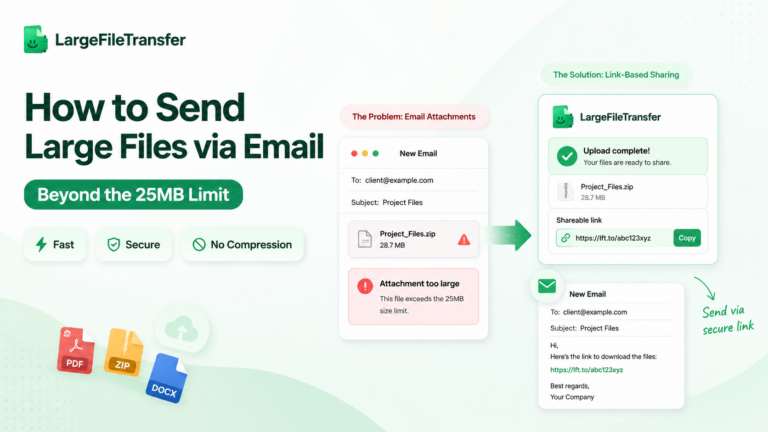
Send RAW photos to clients without losing quality, but only when you avoid the tools most photographers use first. Email attachments typically cap around 20 to 25MB, while WhatsApp and iMessage automatically recompress images during delivery. That can alter the original data RAW files preserve for professional editing, color correction, and client review.
The fix is a lossless file-transfer method, plus a practical decision about when clients should receive RAW files. Here’s the four-step workflow for backing up, transferring, sharing, and protecting your RAW photos.
What Does It Mean to Send RAW Photos Without Losing Quality?
Sending RAW photos without losing quality means the client downloads the exact original file, with no recompression, resizing, or format conversion. The fastest check is comparing the original and downloaded file sizes, because a mismatch can indicate processing during delivery.
For stronger verification, compare the file’s checksum before uploading and after downloading, since matching hashes confirm identical file contents. A lossless transfer preserves the actual RAW file rather than creating a new JPEG, preview, or converted version.
A photographer should therefore verify both the transfer method and the downloaded file before considering client delivery complete.
Why Email, AirDrop, and Messaging Apps Ruin RAW Files?
The common mistake is trusting casual photo-sharing tools with RAW files that require original data to remain untouched throughout delivery. AirDrop can preserve originals, but only with the right sharing settings, while several everyday channels alter files for convenience.
- Email attachments: Gmail limits personal-account attachments to 25MB, making many modern RAW files too large for direct attachment.
- Apple Mail also converts ProRAW images to smaller JPG files when added directly to emails.
- WhatsApp: Standard media sharing has separate Standard quality and HD quality settings, and neither should be treated as RAW preservation.
- Sending the file as a document is the safer route when the original file itself must reach the client.
- iMessage: Apple sharing can change file format depending on the selected option, with Most Compatible allowing conversion to JPEG.
- For ProRAW specifically, sharing an edited image through Messages sends the edited JPG rather than the original DNG.
- Google Photos: The Storage saver setting compresses photos, resizes images above 16MP, and may convert them into formats such as JPG.
- Original quality preserves the captured resolution without that quality reduction.
Need smaller files instead of original RAW delivery? Learn How to Compress Large Photos Before You Send Them without treating compression as a substitute for lossless RAW delivery.
The underlying problem is purpose: these tools optimize everyday viewing and sharing, not dependable transfer of original photographic files intact.
How to Send RAW Photos to Clients in 4 Steps?
A reliable RAW delivery workflow protects your originals, preserves folder structure, and prevents client-facing problems during handoff.
For working photographers, the safest process separates backup, transfer, access control, and delivery verification.
Here’s the delivery workflow that keeps every byte intact:
Step 1: Back Up and Organize the RAW Files
- Keep one untouched backup, then organize the shoot before sending anything to your client.
- Create one folder for each shoot, using the client name, project, and date to keep deliveries identifiable later.
- Keep your original backup separate from the delivery folder, so accidental deletions or replacements never affect your master files.
Step 2: Choose a Lossless Transfer Method
- Choose a dedicated file-transfer service that explicitly promises no compression or re-encoding during upload and delivery.
- Avoid messaging apps and basic email because their workflows are designed for quick sharing, not original camera files.
- Check the provider’s stated behavior before uploading, especially if your client needs the exact camera-generated files.
Step 3: Upload and Share a Direct Download Link
- Upload the complete folder to a transfer tool built for RAW delivery, then share one download link.
- LargeFileTransfer accepts CR3, NEF, ARW, and DNG files up to 10 GB per file without compression or re-encoding.
- After uploading, copy the generated link and send it directly, because clients need no LargeFileTransfer account to download.
Step 4: Protect and Confirm the Delivery
- Protect sensitive work with access controls, then confirm the client downloaded the transfer before closing the delivery.
- Paid plans let you add password protection, while link expiry can be set according to how long access should remain available.
- Download tracking shows how many times the transfer was downloaded, giving you a concrete confirmation that delivery reached the recipient.
Should You Even Send Clients Your RAW Files?
Most photographers should deliver edited, selected images rather than full RAW files unless their contract specifically includes RAW delivery.
RAW files are unfinished drafts, so public posting can misrepresent your final color, exposure, cropping, retouching, and creative decisions.
3 Reasons to Pause Before Sending RAW Files
- RAW files reveal your editing process
Clients can see the original capture before your culling, color correction, retouching, and finishing work.
That visibility can make the polished final image appear less valuable as a professional service.
- RAW delivery can create rights confusion
A standard photography contract may define final-image usage without clearly addressing RAW files.
That can leave copyright ownership, licensing, editing rights, and redistribution terms unclear after delivery.
- Clients may not be able to open RAW files
Formats such as CR3, NEF, ARW, and DNG require compatible software for proper viewing and editing.
A client without Lightroom, Capture One, or another compatible application may receive files they cannot practically use.
When Should You Send RAW Files?
- Send RAW files when a hired retoucher or second shooter needs the unprocessed files to complete assigned work.
- Send RAW files to clients when your contract explicitly lists them as a deliverable, with pricing and usage terms defined.
Best Practice for Photographers
Decide on RAW delivery before the shoot and write that decision into the contract.
That prevents a client request from becoming an unexpected negotiation after the images are already delivered.
Upload the complete folder to LargeFileTransfer for photographers, then share the generated download link with your client.
What RAW File Formats Do Photographers Send?
RAW is not one file format. It is a category, and the actual extension depends on the camera brand or device.
- CR2 and CR3: Canon cameras use these RAW extensions, with newer Canon models commonly producing the latter.
- NEF: Nikon uses this proprietary RAW format to store the image data and camera metadata captured during shooting.
- ARW: Sony Alpha and Cyber-shot cameras use ARW for their camera-generated RAW files.
- DNG: Adobe created this publicly documented RAW format, which some cameras and smartphones can record directly.
For clients, the practical issue is software compatibility: RAW files may not display like JPEG images in ordinary viewers, so recipients may need Lightroom, Capture One, or compatible manufacturer software.
Tell clients what they received when you send the download link, especially if they have never worked with RAW files before.
A proper file-transfer service treats these formats as file data rather than converting them into viewable images, so the original bytes remain unchanged during delivery.
What Is the Best Way to Send RAW Photos to Clients?
Photographers often use the sharing tool already open, but RAW delivery requires more than convenient file access.
The better choice depends on file size, recipient access, and whether the original files remain unchanged.
| Delivery method | File capacity | Client account needed? | RAW file handling | Best suited for |
| Usually 20–25MB per attachment | Usually no | Not designed specifically for RAW preservation | A few small files | |
| General cloud storage | Depends on your storage plan and provider limits | Often optional with shared links | Original files can be preserved, but settings vary | Backup and occasional sharing |
| Dedicated file transfer, such as LargeFileTransfer | Up to 10GB per file on the free plan | No for downloads | Files are delivered without compression or re-encoding | Large RAW deliveries and client work |
LargeFileTransfer also lets photographers send a full folder in one transfer, avoiding multiple emails for larger shoots.
Still deciding between file transfer and cloud storage? See our guide to Large File Transfer vs. Cloud Storage: Which Is Better? for a closer comparison of the two approaches.
For larger or client-facing deliveries, dedicated file transfer usually provides the clearest combination of capacity, access, and original-file preservation.
Compare free and paid transfer limits before choosing a plan for recurring RAW deliveries.
How to Keep RAW Photos Secure During Delivery?
Lossless transfer protects image quality, but sensitive client work also needs controlled access.
Three simple settings can reduce unwanted access after you share the download link.
- Password protection: LargeFileTransfer offers password protection on paid plans, adding a second barrier beyond the download link.
- Link expiry: Set a shorter expiry for completed projects, or use longer or non-expiring links for ongoing collaborations.
- Download tracking: Check when and how many times your transfer was downloaded to confirm delivery and spot unusual activity.
These settings control access around the transfer and do not change the RAW files themselves.
Final Notes
Sending RAW photos without losing quality comes down to choosing a transfer method that never compresses files and deciding whether RAW is the right deliverable.
The bigger business decision is knowing when RAW files belong with the client at all, rather than automatically providing every original capture.
Ready to deliver your next RAW shoot without compression? See the photographer plan, which is free up to 10GB per file and requires no client signup.
FAQs
- Can I send RAW files to a client without losing quality?
Yes, you can send RAW files without losing quality when the transfer delivers the original file without compression, resizing, or format conversion. A dedicated file-transfer service can preserve the uploaded file exactly as provided.
- Why do RAW files get ruined by email and messaging apps?
RAW files can be altered because email and messaging platforms prioritize convenient sharing rather than preserving large camera-original files. Attachment limits, photo-compression settings, and automatic format conversions can change or reject the original file.
- Should I give clients my RAW files at all?
Most photographers should deliver edited final images unless RAW files are specifically included in the contract. RAW delivery can expose unfinished work and create uncertainty around licensing, copyright, and future modifications.
- What RAW file formats might I need to send?
The RAW format depends on the camera or device, with common extensions including CR2, CR3, NEF, ARW, and DNG. Your delivery method should accept the specific file types produced by your equipment without converting them.
- Do clients need special software to open RAW files?
Yes, clients usually need compatible imaging software to properly view or edit RAW files. Applications such as Adobe Lightroom, Capture One, and manufacturer-specific RAW software commonly support these formats.
- How do I protect RAW photos when sharing them with a client?
Protect sensitive RAW deliveries with a strong password, controlled link expiry, and download monitoring where your transfer service supports those features. LargeFileTransfer provides password protection on paid plans and lets you control how long shared links remain available.
- How can I confirm a client actually received full-quality files?
Download tracking can confirm that the client accessed the transfer, while comparing the downloaded file against the original can verify file integrity. Matching checksums provide the strongest confirmation that the transferred file remained unchanged.
- What’s the fastest way to send a large RAW gallery?
The fastest approach is uploading the complete gallery to a dedicated transfer service and sharing one download link. LargeFileTransfer supports files up to 10GB each on its free plan and lets clients download without creating an account.