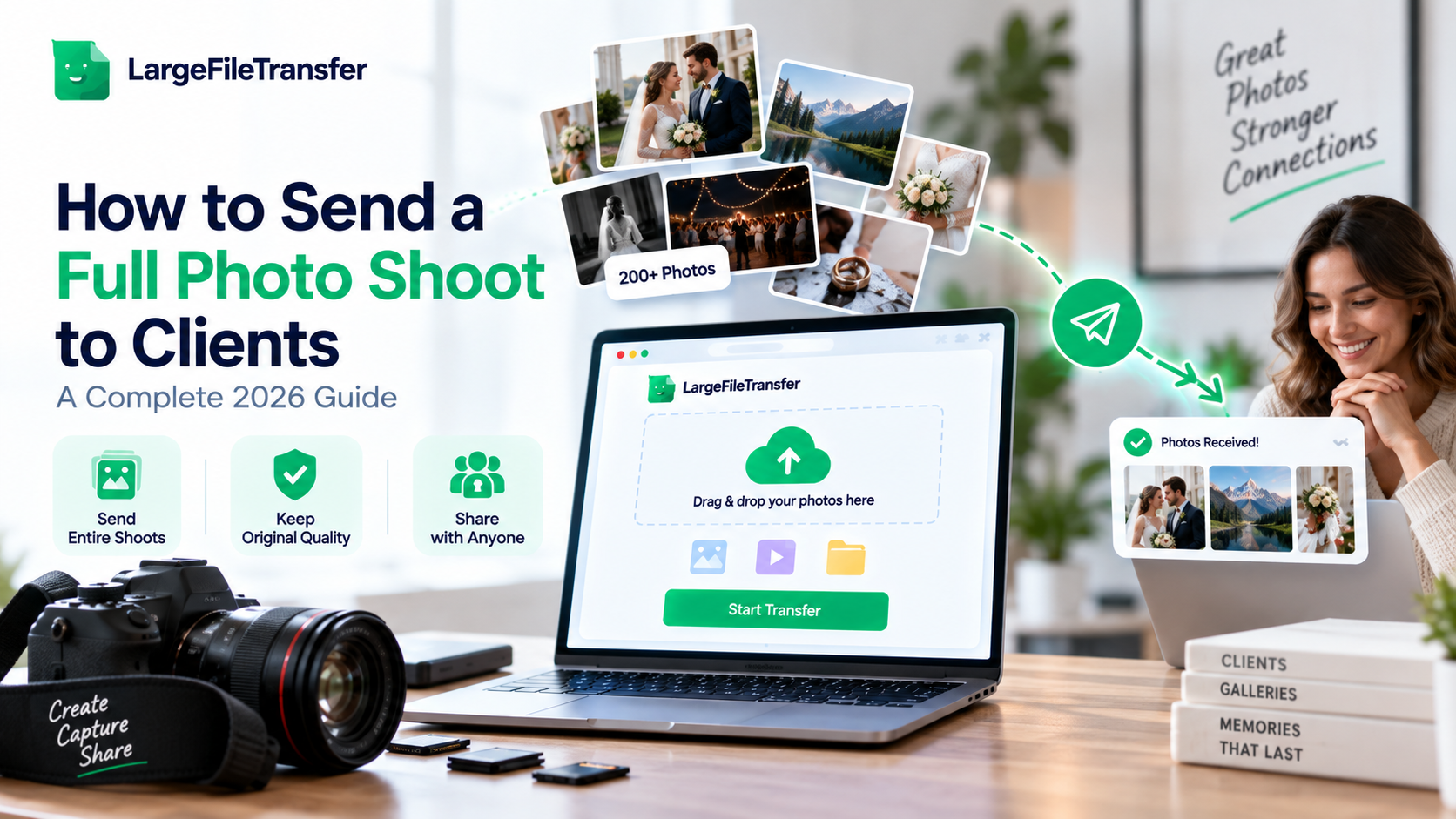
How to Send a Full Photo Shoot to Clients: A Complete 2026 Guide
A three-day shoot can be edited perfectly and still feel unprofessional because the final delivery goes wrong. To send a full photo shoot to clients, package everything together and use a direct transfer link.
A single shoot can now contain hundreds of RAW files, edited images, previews, and exports. Email and messaging apps quickly fall short, either rejecting large uploads or compressing images before clients receive them.
One failed or compressed delivery can damage client trust, trigger avoidable follow-ups, and cost hours of reshoot time. This guide compares every practical delivery method and shows the exact workflow experienced photographers use from export through handoff.
What Counts as a “Full Shoot” Delivery?
A full-shoot delivery means sending every agreed keeper from the session, not just the final images selected for a gallery.
It may include edited JPEGs, RAW originals, or both, depending on the client’s contract and intended use.
Curated Gallery vs. Full Shoot
| Delivery type | Typical contents |
| Curated gallery | 40–100 hand-picked final images for viewing, sharing, or downloading |
| Full-shoot delivery | 300–1,000+ files, often including RAW originals and edited JPEGs |
For professional photographer file delivery, the difference comes down to whether the client needs the complete working set.
When Clients Need the Entire Shoot
- Commercial campaigns: Clients may need every usable image for current campaigns, future layouts, and broader licensing requirements.
- Second-shooter handoffs: Lead photographers may need complete coverage for editing, archiving, album design, and final delivery.
- Retouching projects: Retouchers often require original RAW files for detailed color correction, composites, skin work, or product adjustments.
- Legal documentation: Complete image records may support insurance claims, disputes, audits, contracts, or other formal documentation requirements.
The more files involved, the more carefully photographers must prepare folders, filenames, formats, and delivery links.
That makes a full-shoot handoff considerably harder than sending a typical curated gallery.
Why Sending a Full Shoot Is Harder Than Sending a Few Photos?
The problem is file size and file count, not the photographer’s technical ability or delivery experience.
- Email Has a 25 MB Ceiling
- The problem: Gmail limits personal emails to 25 MB of total attachments per message.
- The impact: A handful of RAW files can exceed that limit before the full shoot is even ready.
- Consumer Apps Compress Photos
- The problem: Messaging platforms commonly compress shared images to reduce file size during delivery.
- The impact: Clients may receive smaller or lower-quality versions instead of the original photographs.
- Large Uploads Can Fail
- The problem: Uploading hundreds of files depends on a stable internet connection throughout the transfer.
- The impact: A weak studio or client connection can interrupt large uploads and force photographers to restart them.
- RAW Files Multiply the Size
- The problem: CR3, NEF, ARW, and DNG files can range from roughly 25–100 MB each before editing.
- The impact: 500 RAW files alone could occupy 12.5–50 GB before adding edited JPEGs, previews, or exports.
That is why photographers need a delivery method built to deliver large photo files without unnecessary compression.
Upload speed also determines how long a large shoot takes to transfer, so learn how internet speed affects large file uploads before starting the delivery.
The next section shows how quickly these file counts translate into gigabytes across a typical full shoot.
How Large Is a Full Photo Shoot in GB and File Count?
A full photo shoot typically ranges from 1 GB to 100 GB, depending on shoot length, camera resolution, file format, and final deliverables.
| Shoot type | Typical file count | Estimated size |
| 1-hour portrait session | 100–300 JPEGs | 0.5–3 GB |
| Full-day commercial shoot | 500–1,500 RAW + JPEG files | 20–80 GB |
| Multi-hour event shoot | 800–2,500 image files | 8–30 GB |
These figures are industry-typical estimates, not fixed averages, because camera resolution, shooting volume, and delivery requirements vary.
Why Do RAW Shoots Take More Storage?
- JPEG-only delivery: Usually produces the smallest final package because only finished images are included.
- RAW + JPEG delivery: Can roughly double or triple the total storage requirement, depending on camera and export settings.
A 500-file shoot can therefore become a multi-gigabyte delivery before previews, alternate exports, or additional assets are included.
What These Numbers Mean for Delivery
Even smaller full shoots can exceed email attachment limits, while larger commercial shoots can require tens of gigabytes.
That makes ordinary email and basic storage options impractical for many professional photographer file deliveries.
Need a clearer understanding of how MB and GB relate when estimating a large photo delivery? Read our guide to MB vs. GB for large file transfers to put these shoot sizes into perspective.
4 Ways to Send a Full Photo Shoot to Clients
There is no single best way to send a full photo shoot, because each delivery method suits different client needs.
Client galleries, transfer links, cloud folders, and physical media each balance convenience, presentation, storage, and control differently.
Here are the four realistic options, compared for workflow fit, client experience, and delivery limitations.
- Client gallery platforms
Client gallery platforms such as Pixieset, Pic-Time, and ShootProof combine polished presentation, downloads, proofing, and client-facing controls.
They suit photographers delivering recurring galleries, but subscription costs and storage limits make them less practical for occasional large handoffs.
- Direct file-transfer links
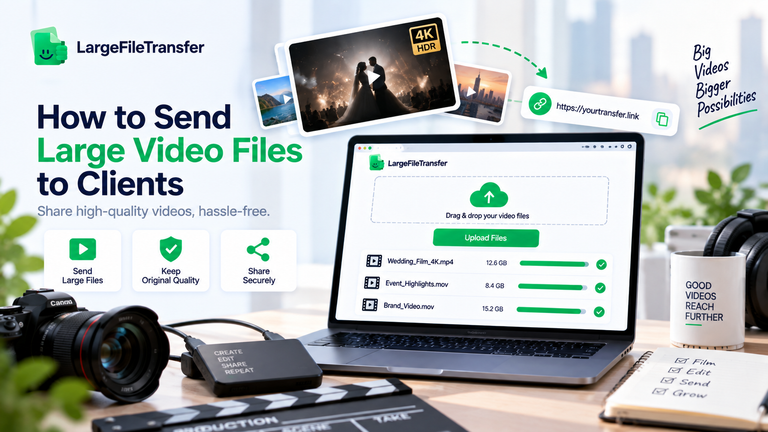
Direct transfer links let photographers send full photo shoot to clients using a complete folder or ZIP. They suit one-off handoffs without recurring subscriptions when full-resolution files must arrive without compression or re-encoding, as LargeFileTransfer supports.
- Cloud storage folders
Cloud storage folders place the shoot inside a shared Drive-style folder that clients can access, download, and organize themselves. They work well for ongoing collaboration, but storage quotas, folder permissions, and account management become cumbersome for large client deliveries.
- Physical media (USB/hard drive)
USB drives and external hard drives provide a straightforward offline handoff for clients who need a local archive. They work best for very large archives, but shipping, loss, damage, and replacement make physical delivery the highest-friction option.
Step-by-Step Workflow for Delivering a Full Shoot
A professional full-shoot delivery follows six steps: cull, export, organize, upload, send, and confirm.
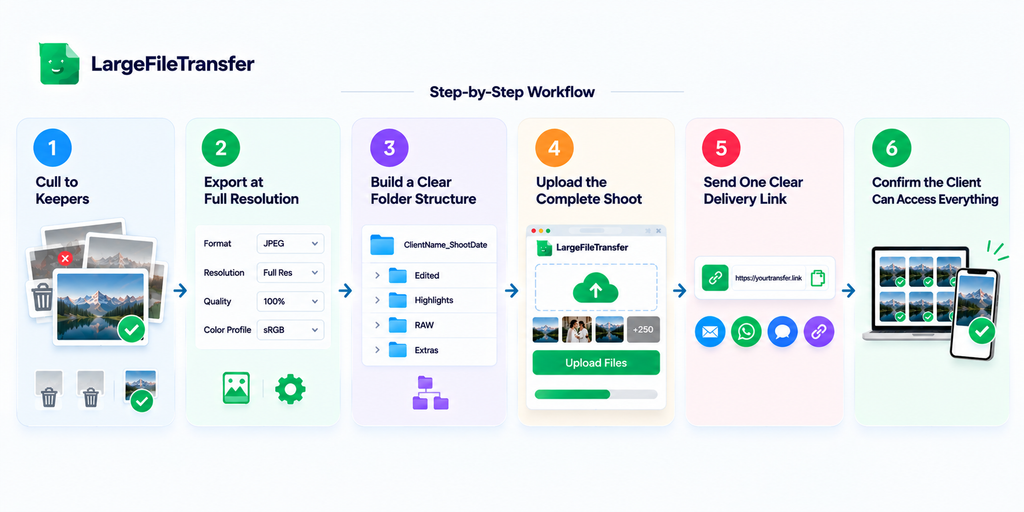
- Cull to Keepers
Remove rejects, duplicates, test shots, and accidental frames before preparing the client’s final delivery set.
Keep: Every agreed keeper the client is entitled to receive.
- Export at Full Resolution
Export images at their required resolution, format, quality, and color profile before uploading the finished files.
For web delivery: Use sRGB unless the client specifically requests another color profile.
- Build a Clear Folder Structure
Organize the shoot into predictable folders so clients can immediately understand what each group of files contains.
Example: ClientName_ShootDate_Type
- Upload the Complete Shoot
Upload the entire organized folder using a reliable LargeFileTransfer after checking the total transfer size.
For one-off deliveries: LargeFileTransfer can be used to transfer complete photography folders without compressing the original files.
- Send One Clear Delivery Link
To send photo shoot to client efficiently, share one private photo file transfer link with simple download instructions.
Message should include: What is included, how to download everything, and when the link expires.
- Confirm the Client Can Access Everything
Ask the client to open the link and test several downloads before considering the delivery complete.
Check: Files open correctly, folders are accessible, and the client can download the complete package.
Skipping confirmation is a common reason clients report missing files that were actually delivered.
A quick access check catches permission, download, or incomplete-upload problems before they become urgent.
RAW Files or Edited JPEGs- What Should You Actually Send?
For most clients, edited JPEGs are correct; RAW files are the exception, not the default.
Send RAW When
- Commercial usage: Contracts include RAW delivery for broader licensing, future campaigns, or internal editing.
- Retoucher handoff: Another professional needs original files for retouching, compositing, or color work.
- Contract requirement: The signed agreement specifically includes RAW originals as client deliverables.
Send Edited JPEGs When
- Personal sessions: Wedding, portrait, and family clients typically need finished images rather than camera originals.
- Print orders: Clients usually need edited JPEGs when ordering finished prints from a professional lab.
- Social sharing: JPEGs are typically sufficient for websites, social platforms, and everyday sharing.
RAW files also require careful delivery because some consumer tools may reject or alter unfamiliar formats.
How to Send a Full Shoot Without a Monthly Gallery Subscription?
Gallery platforms like Pixieset and ShootProof charge recurring fees for proofing, branding, storage, and client-management features.
For one full-shoot handoff, a direct file-transfer service is often more practical and cost-effective.
What to Look For
A good one-off transfer tool should provide:
- No compression: Preserve RAW and JPEG files without compression or re-encoding during delivery.
- No recipient account: Let clients download their files without creating another account.
- One download link: Support complete folders through a single shareable delivery link.
- Useful free limits: Provide enough free transfer capacity for smaller client deliveries without immediate payment.
Where LargeFileTransfer Fits
LargeFileTransfer supports CR3, NEF, ARW, and DNG files while transferring them without compression or re-encoding.
Recipients also do not need an account, making one-off client handoffs simpler to complete.
Explore LargeFileTransfer’s photographer-specific features for professional photo delivery workflows.
Compare available plans and limits before choosing a transfer option.
Common Mistakes When Delivering a Full Shoot to Clients
Use this checklist to catch delivery mistakes that can quietly damage client confidence and create unnecessary follow-up work.
- Compressed Previews as Finals: Sending reduced previews as final images causes quality complaints, revisions, and lost trust when clients expect finished work.
- Short Link Expiry: Links expiring without warning can leave clients unable to access their gallery, creating frustration, support emails, and rushed re-delivery.
- No Delivery Confirmation: Skipping written confirmation creates uncertainty about delivery status, making missed downloads harder to identify and potentially delaying client projects.
- No Backup Before Sending: Sending without a verified backup can turn accidental deletion or corruption into expensive recovery work, lost files, or reshoot costs.
- Untested Download Experience: Failing to test downloads on likely client devices can expose compatibility problems that trigger support emails and delay final delivery.
Final Notes
The right delivery method depends on whether you need an ongoing client experience or a single complete handoff.
Choose gallery platforms for recurring, branded client experiences, while direct transfer links suit one-off full-shoot deliveries without subscriptions. Whatever method you choose, protect image quality by avoiding tools that compress, resize, or re-encode original photography files.
A clear workflow also helps ensure every agreed file is organized correctly, transferred completely, and accessible to the client. Before closing the delivery, confirm the client can access the link and open the downloaded files successfully.
For your next full-shoot delivery, try LargeFileTransfer for photographers to transfer original files without compression.
Frequently Asked Questions
- What is the best way to send a full photo shoot to a client?
A direct file-transfer link is usually the simplest way to send hundreds of full-resolution photographs without compression.
- How many GB is an average full photo shoot?
A full photo shoot typically ranges from a few gigabytes to 100 GB, depending on coverage, resolution, and file formats.
- Can I send RAW files without losing quality?
Yes, RAW files retain their original quality when transferred without compression, re-encoding, or format conversion.
- Should I send the client every photo or just the edited selects?
In most cases, send edited selects unless the contract specifically requires RAW files or complete shoot coverage.
- What’s the fastest way to send a large batch of photos without a subscription?
A direct transfer link is typically fastest, and LargeFileTransfer supports uncompressed delivery without requiring recipients to create accounts.
- How long should a client have access to download their full shoot?
Give clients several days or longer to download and verify the complete shoot, especially for larger deliveries.
- Why do my photos look compressed after I send them?
Photos usually look compressed because the sharing platform resized or recompressed them, while LargeFileTransfer preserves files without compression.
- Is it safe to send a full shoot through a public link?
A public link can be safe when appropriate access controls and expiration settings protect the client’s files from unwanted access.